Updates as they happen.
Kubernetes watch streams update your tables when resources change. There is no polling loop.
For people who live in kubectl
Manage your Kubernetes clusters in a native Mac app, with live updates straight from the API.
Built for your Mac. macOS 27 Golden Gate or later. Apple Silicon.
14-day full trial No account needed
Open a window for each cluster. Switch between them with native menus, keyboard shortcuts, and the command palette.
Kubernetes watch streams update your tables when resources change. There is no polling loop.
Kluster talks directly to the API server. It runs without Electron or a bundled copy of kubectl.
Inspect resources and follow their events, then make changes from the same window.
Live tables, structured details, condition timelines, and YAML for built-in kinds and custom resources alike.
Exec, port-forward, edit YAML, scale, restart, and drain. Mutation sheets show the kubectl equivalent before you act.
Track blocking finalizers, live events, and restart heatmaps. See where the trouble starts.
Context colors and named confirmations keep fleet work clear. Guarded deletes ask you to type the object's name.
Inspect TLS secrets, cert-manager objects, and webhook certificates. Wire probes find pods still serving a stale certificate after renewal.
Helm history, values, and manifests. Opt-in CPU and memory columns, session sparklines, and node scheduling pressure.
Across your kubeconfig
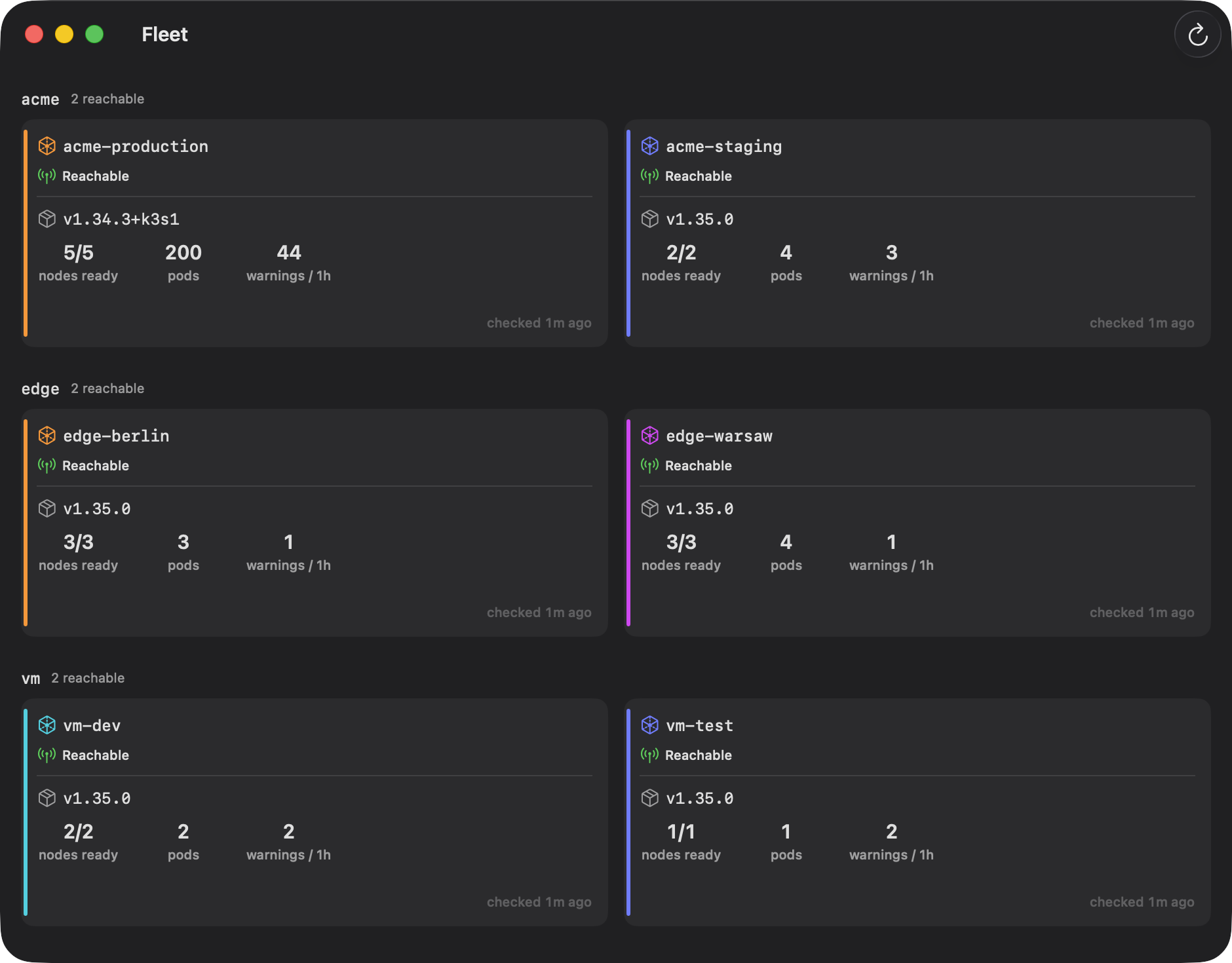
Node readiness, pod health, and warning events across your kubeconfig. Open any context in its own native window.
Download free trialSaved workspaces restore your multi-pane layout.
One price. No subscription.
Download free trial. 14 days, every feature, no account needed.
macOS 27 Golden Gate or later on Apple Silicon, and a kubeconfig (~/.kube/config or $KUBECONFIG). Kluster talks to any conformant Kubernetes API server: k3s, kubeadm, EKS, GKE, AKS, kind.
Use every feature for 14 days without an account or a payment card. After the trial, enter a license key to continue. Your settings and windows stay as they are.
The app has no telemetry or analytics. Network traffic goes to your clusters, to the update feed when you check for updates, and to the license server when you activate a key. Losing your internet connection never locks you out of the app.
Kluster needs to read kubeconfig, connect to your cluster addresses, and run exec-auth helpers. The App Store sandbox would restrict those operations. Kluster ships directly, signed with a Developer ID certificate and notarized by Apple, with updates over Sparkle.
Only when you tell it to, with the same RBAC your kubeconfig grants kubectl. Destructive actions confirm first, name the cluster they target, and show the kubectl equivalent. Contexts default to a guarded mode that requires typing an object's name before deletes that cascade.
Kluster is built by Applied AI Piotr Rojek. Purchases are processed by Polar, the merchant of record, which handles payment, invoices, and VAT.